How to connect your TV and start watching.
← Back to homeConnect your TV
- Download the Jellyfin app from your TV's app store.
- Open the Jellyfin app on your TV.
- When asked for the server address, enter tv.rojaazul.com.
- Select Quick Connect on your TV.
-
On your phone, tablet, or computer, go to
tv.rojaazul.com and sign in.
Then select your profile icon in the top right and choose
Quick Connect.
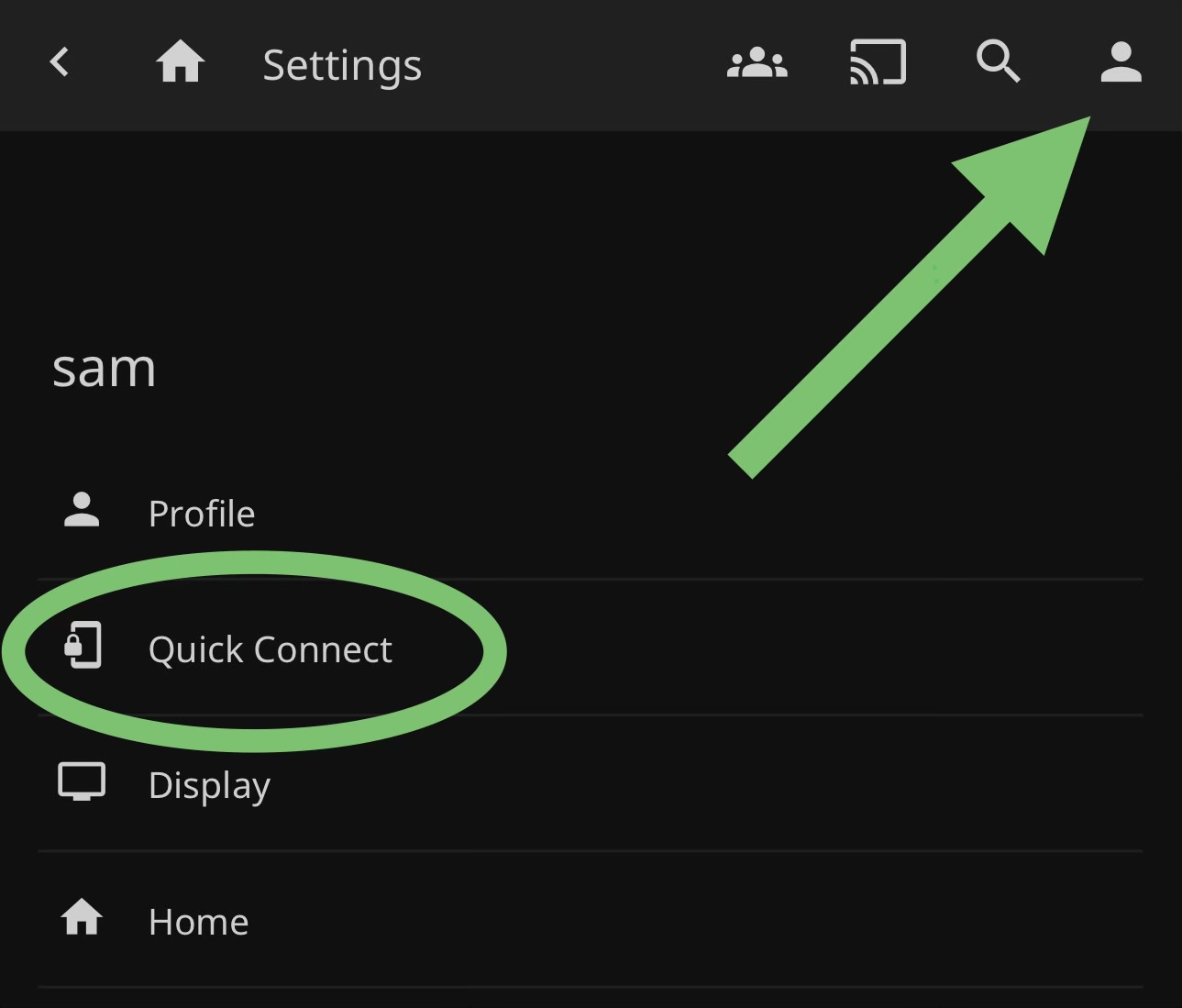
Open your profile menu and select Quick Connect. -
Enter the code shown on your TV.
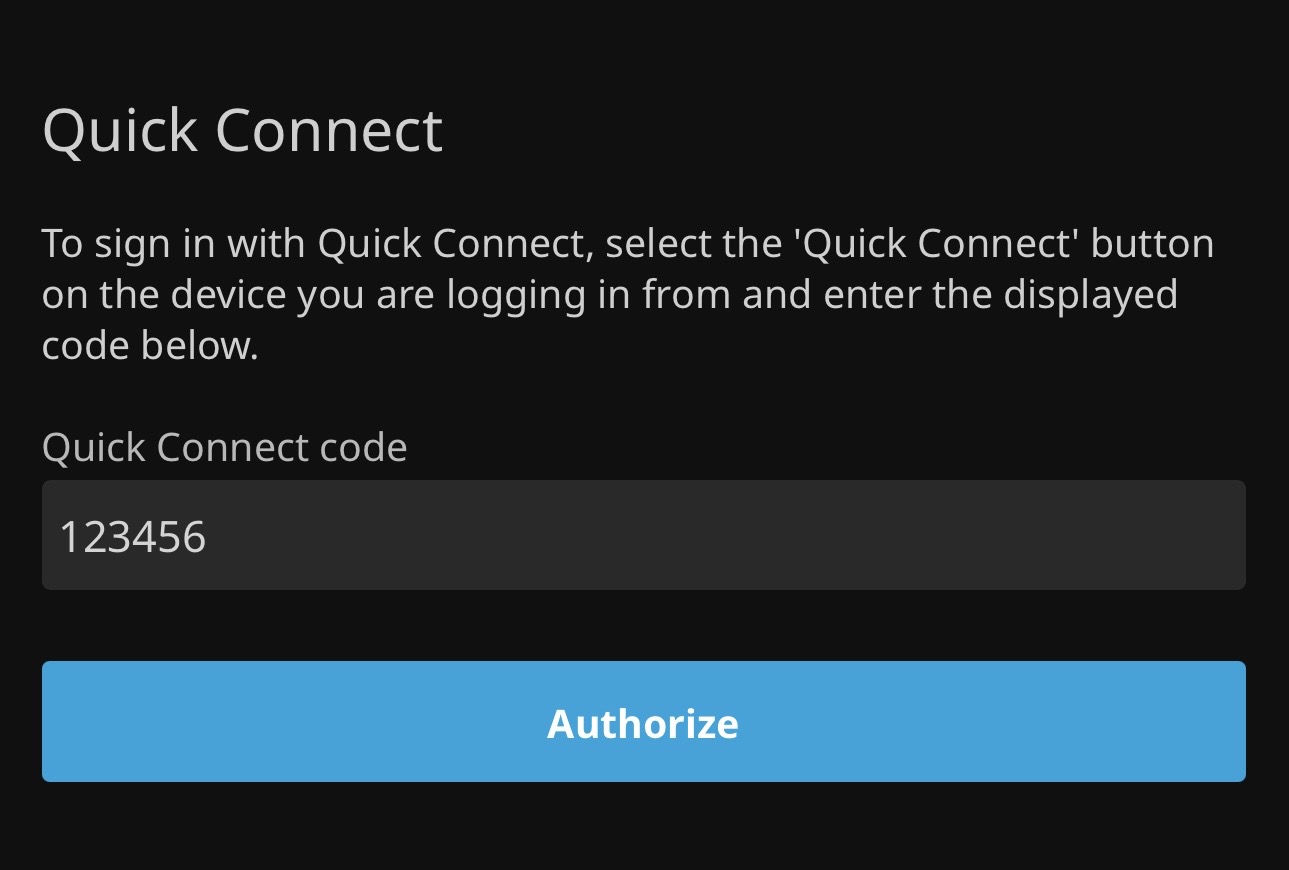
Type in the code shown on your TV.
Need help?
Send me a message and I'll sort it out.